BMM Update 0.8.45-46: Quality-of-Life Polish, Clearer Dependency Badges, and Membership Details
Two small polish releases back-to-back - Mostly making things that already existed easier to see and use.
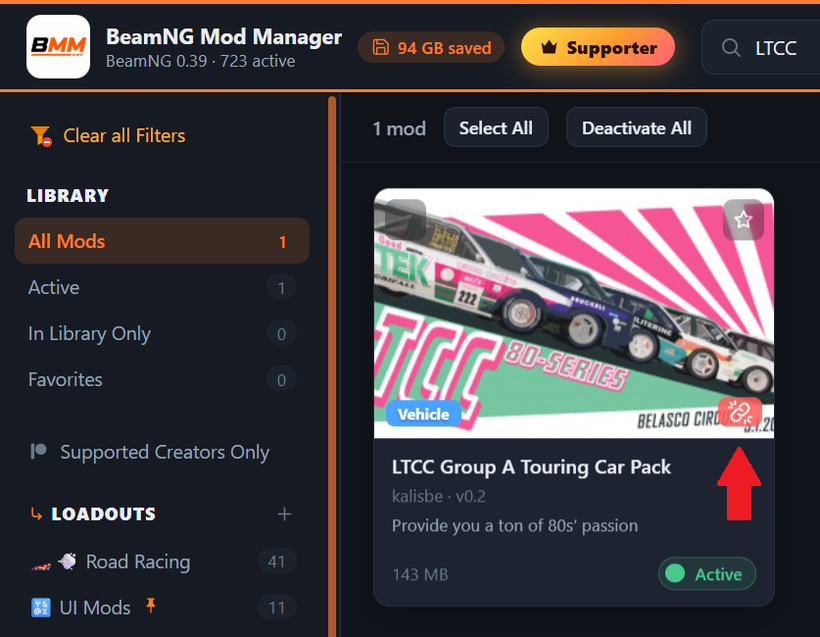
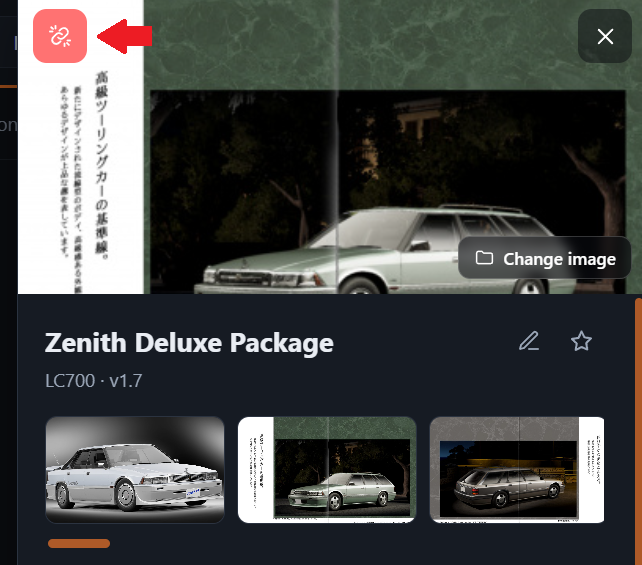
Mods missing a required dependency now show a small red broken-chain badge right on the card - click it to jump straight to that mod's Dependencies. A mod's Dependencies section also now sits near the top of its details, so you can see it without scrolling. Then 0.8.46 refined the badge itself: it's now the same chain-link icon as the Dependencies row in the sidebar, with little break marks around it, and it's bigger on mod cards so it's easier to spot. In a mod's details it sits in the top-left corner in the same red, away from the close button.
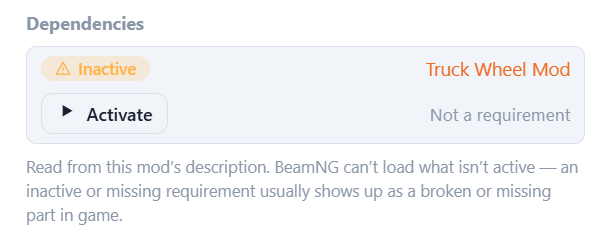
Inside a mod's Dependencies list, each required mod's name is now always shown - on narrower panels it used to get squeezed out entirely - and "Not a requirement" is a tidy one-line link instead of large wrapped text.
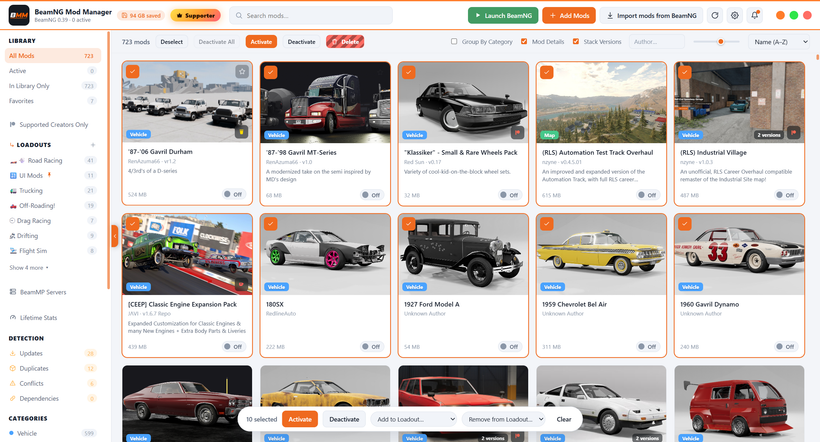
The toolbar has a Deactivate button alongside Activate and Delete whenever you have mods selected. "My Server" mode is now themed green throughout, so it's obvious at a glance when you're managing your own server's mods rather than your BeamNG set - and in My Server mode the "Add Mods" button in the top bar stays BeamNG orange, so it no longer blends in with the green Launch button beside it.
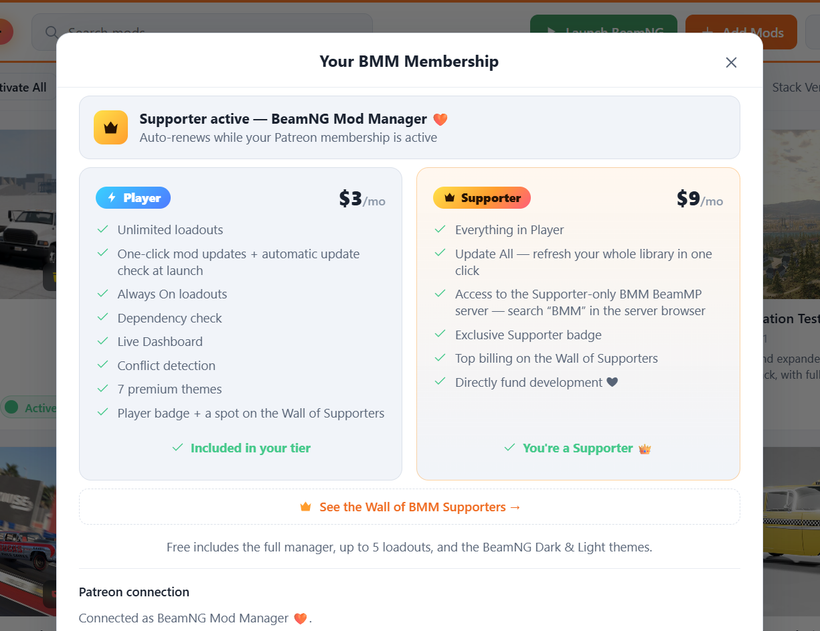
The membership cards now list everything each tier actually includes. Player was missing Always On Loadouts, the dependency check, the Live Dashboard, and the automatic update check at launch; Supporter now mentions the access to the Supporter-only BMM BeamMP server. Once you're a member, the membership page also drops the logo under its title, so everything fits better.
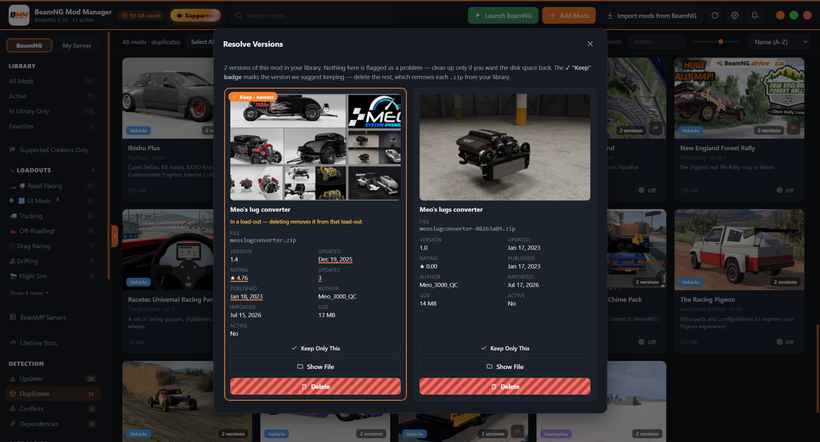
A few smaller fixes: In the duplicate resolver, the copy we suggest keeping now highlights every detail where it's the best pick - newest update, most updates, most recently added, and so on - so the important bits are easy to spot, especially with several sets to resolve at once. In a Loadout you can now remove a mod with a quick X button, and the mods already in a loadout sort to the top of its edit list for easier tidying. The Live Dashboard's connection-status dots can now be hidden with a small toggle beside them. And the cramped BeamNG / My Server switch in the collapsed sidebar is fixed, with the Loadouts button moved above your Loadouts there to match the expanded layout.
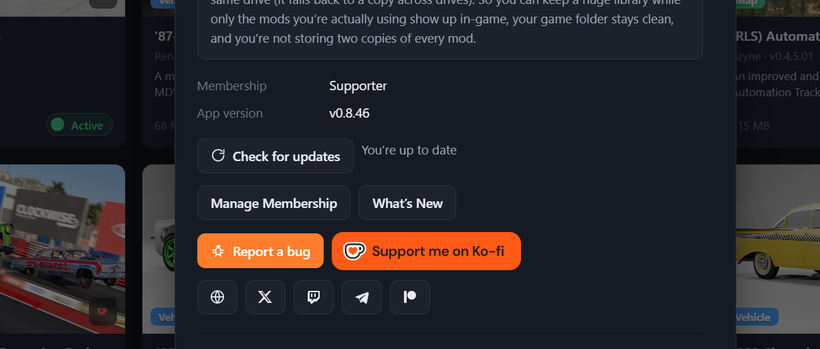
Updating: on 0.8.8 or newer, just hit Settings → Check for updates (or the update pill in the top bar). Or:
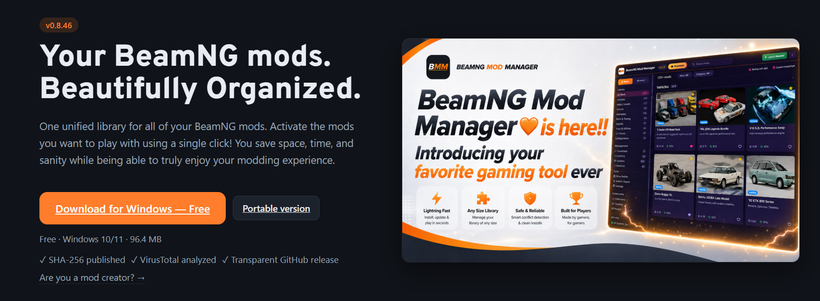
Download here: BeamModManager.xyz
(Portable version available also)
Cheers!
NickTheGrizzly 🧡
Save time and space so you can play more BeamNG.